HomeAboutTraining CoursesFAQ
العربيةmohd@sbeeh.com+962 77 984 65 64
SBEEH Software Academy

Instructor-led IT training delivered by Microsoft Certified Trainers (MCT) — in Amman, Jordan, and across the GCC.

Explore

  • About Us
  • IT Training Courses
  • Verify a Certificate
  • FAQ

Get in Touch

  • +962-779846564
  • mohd@sbeeh.com
  • Amman, Jordan

SBEEH Software delivers software development services, advanced technologies implementation, business process automation, IT consulting, and professional IT training led by Microsoft Certified Trainers (MCT) for organizations across Jordan, Saudi Arabia, UAE, Qatar, Kuwait, Bahrain & Oman.

© SBEEH Software. All rights reserved. 2026.

Back to Training Courses
Administering Microsoft Azure SQL Solutions
Cloud & AzureIntermediateFace to Face / Online

Administering Microsoft Azure SQL Solutions

Administering Microsoft Azure SQL Solutions is an intermediate Cloud & Azure course delivered in person and online by SBEEH Software Academy in Amman, Jordan.

4 Days (32 Hours)

Last updated August 16, 2026

This 4-day, intermediate course teaches database professionals to deploy, secure, and operate SQL Server workloads in Azure, covering Azure SQL Database, Azure SQL Managed Instance, and SQL Server on Azure Virtual Machines. The course is organized around the decision every organization moving to Azure must make: which deployment option fits a given workload, and how administration changes once SQL Server becomes a managed or partially managed cloud service.

Participants provision and configure Azure SQL Database and Managed Instance, implement security (firewalls, private endpoints, Azure AD authentication, Advanced Threat Protection), configure backup and geo-replication for cloud-native disaster recovery, and monitor performance using Azure SQL's built-in intelligent performance features such as Query Store and automatic tuning.

This course is designed for database administrators and infrastructure engineers already familiar with on-premises SQL Server administration who are moving workloads to Azure, and for cloud engineers who need database-specific Azure skills. It directly supports preparation for Microsoft's DP-300: Administering Relational Databases on Microsoft Azure certification.
Official reference: Microsoft Learn: Azure documentation

Day 1: Azure SQL Deployment Options and Migration Planning

Main Topics:

  • Azure SQL Database vs. Managed Instance vs. SQL on Azure VMs
  • Service tiers and compute models (DTU vs. vCore)
  • Migration assessment with the Data Migration Assistant
  • Provisioning an Azure SQL Database and Managed Instance

Detailed Subtopics:

  • Choosing the right deployment option based on feature compatibility and cost
  • Elastic pools for multi-tenant workloads
  • Assessing on-premises databases for migration readiness
  • Serverless compute tier for intermittent workloads

Hands-On Lab: Assess a sample on-premises database with the Data Migration Assistant, then provision an Azure SQL Database using the appropriate service tier for its workload profile.

Real-World Scenario: A company is moving its line-of-business application database to Azure and needs to choose between Azure SQL Database and Managed Instance based on feature requirements.

Learning Outcome: Participants can evaluate workload requirements and choose and provision the correct Azure SQL deployment option.

Day 2: Security and Identity in Azure SQL

Main Topics:

  • Firewall rules and private endpoints
  • Azure Active Directory authentication
  • Advanced Threat Protection and vulnerability assessment
  • Transparent Data Encryption and Always Encrypted

Detailed Subtopics:

  • Configuring server- and database-level firewall rules
  • Migrating from SQL authentication to Azure AD-integrated authentication
  • Interpreting vulnerability assessment findings
  • Protecting sensitive columns with Always Encrypted

Hands-On Lab: Configure Azure AD authentication for a database, restrict network access using a private endpoint, and run a vulnerability assessment, remediating at least one finding.

Real-World Scenario: A compliance review requires that no database allows public internet access and that sensitive customer data columns are encrypted at the client, not just at rest.

Learning Outcome: Participants can implement a defense-in-depth security configuration for Azure SQL that would satisfy a real compliance audit.

Day 3: Backup, Business Continuity, and Geo-Replication

Main Topics:

  • Automated backups in Azure SQL
  • Point-in-time restore in the cloud
  • Active geo-replication and auto-failover groups
  • Business continuity planning for Azure SQL

Detailed Subtopics:

  • Backup retention policies (short-term and long-term)
  • Configuring a readable geo-replica in a second region
  • Auto-failover groups for application-transparent failover
  • Estimating RPO/RTO for Azure SQL deployment options

Hands-On Lab: Configure a geo-replica of an Azure SQL Database in a second region using an auto-failover group, then perform a manual failover and verify application connectivity is restored automatically.

Real-World Scenario: The business requires the application to survive a full Azure region outage with minimal manual intervention and a defined recovery time.

Learning Outcome: Participants can design and configure a cloud-native business continuity solution for Azure SQL.

Day 4: Performance Monitoring, Tuning, and Cost Management

Main Topics:

  • Query Store and automatic tuning
  • Azure SQL Analytics and monitoring
  • Intelligent Insights and performance recommendations
  • Cost optimization strategies
  • Capstone: end-to-end administration exercise

Detailed Subtopics:

  • Reading Query Store to identify regressed queries
  • Reviewing and applying automatic tuning recommendations
  • Right-sizing service tiers based on actual utilization
  • Reserved capacity and cost-saving options

Hands-On Lab: Diagnose a performance regression in a sample Azure SQL Database using Query Store, apply an automatic tuning recommendation, and produce a cost-optimization report based on observed utilization.

Real-World Scenario: A database's monthly Azure bill has grown significantly, and the team suspects it is over-provisioned relative to actual usage.

Learning Outcome: Participants leave able to monitor, tune, and cost-optimize an Azure SQL deployment using its built-in intelligent performance features.

Frequently Asked Questions

Additional Notes


Who Is This For?

This course targets database professionals administering SQL Server workloads specifically in Azure, building on on-premises DBA experience.

  • Database administrators moving on-premises SQL Server workloads to Azure
  • Cloud/infrastructure engineers taking on database administration responsibilities
  • Solution architects planning cloud database migration strategy
  • IT managers overseeing an Azure database migration project

Prerequisites

This course assumes existing SQL Server DBA knowledge; the focus is on how administration changes in Azure, not core DBA fundamentals.

  • Working SQL Server DBA experience (equivalent to the SQL Server Database Administration course)
  • Working knowledge of Azure fundamentals (recommended: AZ-900 level or equivalent experience)
  • Basic networking concepts (firewalls, VNets) are helpful
  • An Azure subscription for hands-on labs (trial subscriptions are sufficient)

What certificate do I get after this course?

Upon successful completion of the training, participants will receive an official Certificate of Completion.
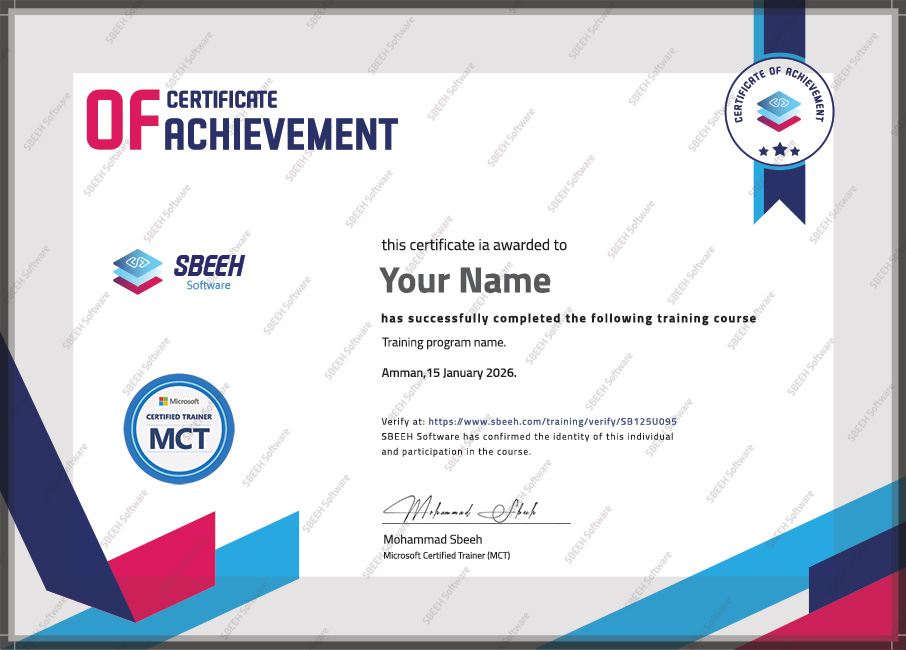

Certificate of Completion
Photo Gallery

Moments From This Training

A look at our training sessions — hands-on training sessions with professionals across Jordan and the GCC.

Interested in this training?

Reach out and we'll help you plan the right training for your team.

Back to all courses