HomeAboutTraining CoursesFAQ
العربيةmohd@sbeeh.com+962 77 984 65 64
SBEEH Software Academy

Instructor-led IT training delivered by Microsoft Certified Trainers (MCT) — in Amman, Jordan, and across the GCC.

Explore

  • About Us
  • IT Training Courses
  • Verify a Certificate
  • FAQ

Get in Touch

  • +962-779846564
  • mohd@sbeeh.com
  • Amman, Jordan

SBEEH Software delivers software development services, advanced technologies implementation, business process automation, IT consulting, and professional IT training led by Microsoft Certified Trainers (MCT) for organizations across Jordan, Saudi Arabia, UAE, Qatar, Kuwait, Bahrain & Oman.

© SBEEH Software. All rights reserved. 2026.

Back to Training Courses
Data Analysis and Reporting with Power BI Report Server
Data AnalyticsIntermediateFace to Face / Online

Data Analysis and Reporting with Power BI Report Server

Data Analysis and Reporting with Power BI Report Server is an intermediate Data Analytics course delivered in person and online by SBEEH Software Academy in Amman, Jordan.

3 Days (24 Hours)

Last updated August 16, 2026

This 3-day, intermediate course teaches report developers and data professionals to build and deploy paginated and interactive reports using Power BI Report Server, Microsoft's on-premises reporting platform. The course is aimed specifically at organizations that need to keep their reporting infrastructure on-premises for compliance, data residency, or licensing reasons, rather than the cloud-based Power BI Service.

Participants build interactive Power BI Desktop reports and publish them to Report Server, design pixel-perfect paginated reports using Report Builder for operational documents such as invoices and statements, configure data source connections and scheduled refresh, and manage report security and folder organization for a multi-department deployment.

This course is designed for report developers, business intelligence analysts, and data professionals working in on-premises or hybrid environments (common in government, finance, and healthcare organizations across the region), and for teams already using Power BI Desktop who now need to deploy reports through an on-premises server rather than the cloud service.
Official reference: Microsoft Learn: Power BI documentation

Day 1: Power BI Report Server Architecture and Interactive Reports

Main Topics:

  • Power BI Report Server vs. Power BI Service
  • Connecting Power BI Desktop to Report Server
  • Data modeling basics for reporting
  • Publishing interactive reports

Detailed Subtopics:

  • Licensing and deployment model differences
  • Import vs. DirectQuery connections for on-premises data sources
  • Basic relationships and measures in Power BI Desktop
  • Folder structure and report organization on the server

Hands-On Lab: Build an interactive sales dashboard in Power BI Desktop connected to a sample on-premises database, then publish it to a Report Server workspace.

Real-World Scenario: A government agency needs its sales/operations dashboards hosted entirely within its own data center due to data residency policy.

Learning Outcome: Participants can build an interactive report and publish it correctly to an on-premises Report Server.

Day 2: Paginated Reports with Report Builder

Main Topics:

  • Report Builder fundamentals
  • Datasets, parameters, and expressions
  • Designing pixel-perfect layouts
  • Grouping, subtotals, and tablix regions

Detailed Subtopics:

  • Building parameterized reports (e.g., filter by date range or department)
  • Formatting for print-ready operational documents
  • Nested groups and running totals
  • Using expressions for conditional formatting

Hands-On Lab: Build a parameterized, print-ready paginated invoice/statement report using Report Builder, including grouped totals and conditional formatting for overdue amounts.

Real-World Scenario: Finance needs a formal, printable customer statement report that looks correct on paper, which an interactive Power BI dashboard cannot produce.

Learning Outcome: Participants can design and build a professional paginated report suitable for operational, print-ready documents.

Day 3: Deployment, Security, and Scheduled Refresh

Main Topics:

  • Report Server security and role assignments
  • Data source management and scheduled data refresh
  • Subscriptions and report delivery
  • Capstone: multi-department deployment

Detailed Subtopics:

  • Configuring folder-level and item-level permissions
  • Setting up scheduled refresh for shared data sources
  • Email subscriptions for automated report delivery
  • Organizing reports for multiple departments with different access needs

Hands-On Lab: Configure folder-based security for two departments with different report access, set up a scheduled data refresh, and configure an email subscription for a weekly report delivery.

Real-World Scenario: Two departments need access to their own reports only, and management wants a weekly summary report emailed automatically every Monday morning.

Learning Outcome: Participants leave able to deploy, secure, and automate report delivery for a realistic multi-department Report Server environment.

Frequently Asked Questions

Additional Notes


Who Is This For?

This course is for report developers and BI analysts working in on-premises or hybrid environments, not exclusively cloud-based Power BI users.

  • Business intelligence analysts and report developers in on-premises/hybrid environments
  • Data professionals in government, finance, or healthcare organizations with data residency requirements
  • Power BI Desktop users who now need to deploy through an on-premises server
  • IT administrators responsible for managing an internal reporting platform

Prerequisites

Basic data analysis and reporting experience is expected; this is not an introduction to data concepts.

  • Basic familiarity with Power BI Desktop or another reporting/BI tool
  • Basic SQL querying knowledge for connecting to data sources
  • Understanding of basic reporting concepts (grouping, filtering, aggregation)
  • Power BI Desktop and access to a Report Server environment for hands-on labs

What certificate do I get after this course?

Upon successful completion of the training, participants will receive an official Certificate of Completion.
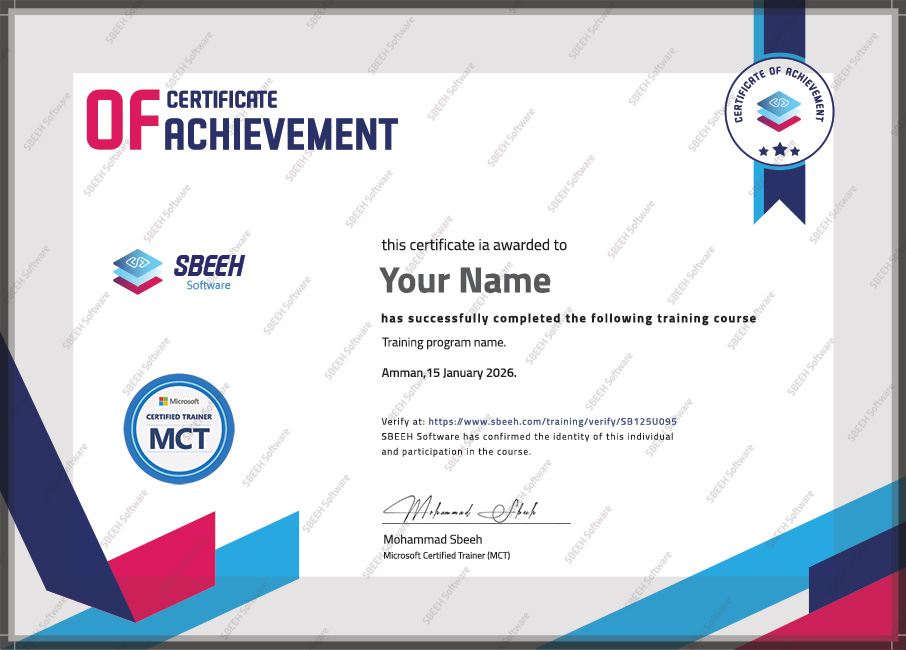

Certificate of Completion
Photo Gallery

Moments From This Training

A look at our training sessions — hands-on training sessions with professionals across Jordan and the GCC.

Interested in this training?

Reach out and we'll help you plan the right training for your team.

Back to all courses