HomeAboutTraining CoursesFAQ
العربيةmohd@sbeeh.com+962 77 984 65 64
SBEEH Software Academy

Instructor-led IT training delivered by Microsoft Certified Trainers (MCT) — in Amman, Jordan, and across the GCC.

Explore

  • About Us
  • IT Training Courses
  • Verify a Certificate
  • FAQ

Get in Touch

  • +962-779846564
  • mohd@sbeeh.com
  • Amman, Jordan

SBEEH Software delivers software development services, advanced technologies implementation, business process automation, IT consulting, and professional IT training led by Microsoft Certified Trainers (MCT) for organizations across Jordan, Saudi Arabia, UAE, Qatar, Kuwait, Bahrain & Oman.

© SBEEH Software. All rights reserved. 2026.

Back to Training Courses
Docker Containerization and Deployment
DevOpsIntermediateFace to Face / Online

Docker Containerization and Deployment

Docker Containerization and Deployment is an intermediate DevOps course delivered in person and online by SBEEH Software Academy in Amman, Jordan.

3 Days (24 Hours)

Last updated August 16, 2026

This 3-day, intermediate course teaches developers and IT professionals to containerize applications with Docker and deploy them reliably across environments. Rather than treating Docker as a black box that 'just works,' the course builds real understanding of how containers isolate processes, how images are layered and cached, and how to design Dockerfiles and multi-container applications that are secure, small, and fast to build.

Participants containerize a sample multi-tier application (a web API plus a database), write efficient multi-stage Dockerfiles, orchestrate multi-container setups with Docker Compose, and learn container networking, volumes, and image security scanning. The course closes with an introduction to deploying containers to Azure Container Apps and Azure Container Registry, connecting the local Docker workflow to real cloud deployment.

This course is intended for developers who need to package and ship their own applications consistently across dev, test, and production, and for IT/DevOps engineers who need practical, working Docker skills rather than certification theory. It is a natural prerequisite for the Microsoft DevOps Engineering course for teams building containerized CI/CD pipelines.
Official reference: Microsoft Learn: DevOps documentation

Day 1: Docker Fundamentals and Image Building

Main Topics:

  • Containers vs. virtual machines
  • Docker architecture: images, containers, registries
  • Writing Dockerfiles
  • Image layering and build caching

Detailed Subtopics:

  • Base image selection and image size trade-offs
  • COPY vs. ADD, and .dockerignore
  • Multi-stage builds to reduce final image size
  • Tagging and versioning images

Hands-On Lab: Containerize a sample REST API using a multi-stage Dockerfile, optimizing image size and build cache usage, and run it locally.

Real-World Scenario: A team's application currently only runs reliably on one developer's laptop due to inconsistent local environment setup.

Learning Outcome: Participants can write an efficient, production-quality Dockerfile and understand exactly what each instruction does to the resulting image.

Day 2: Networking, Volumes, and Multi-Container Applications

Main Topics:

  • Container networking modes
  • Persisting data with volumes and bind mounts
  • Docker Compose for multi-container apps
  • Environment configuration and secrets

Detailed Subtopics:

  • Bridge networks and container-to-container communication
  • Named volumes vs. bind mounts for stateful data
  • Compose file structure: services, networks, volumes
  • Managing environment variables and secrets across services

Hands-On Lab: Use Docker Compose to run the Day 1 API alongside a database container, with a named volume for data persistence and environment-based configuration.

Real-World Scenario: The API needs a PostgreSQL/SQL Server database running alongside it locally, with data that survives container restarts during development.

Learning Outcome: Participants can design and run a multi-container application using Docker Compose with correct networking and data persistence.

Day 3: Security, Registries, and Cloud Deployment

Main Topics:

  • Image vulnerability scanning
  • Container security best practices
  • Pushing images to Azure Container Registry
  • Deploying to Azure Container Apps

Detailed Subtopics:

  • Running containers as non-root users
  • Scanning images for known CVEs before deployment
  • Authenticating and pushing to a private registry
  • Basic scaling and environment configuration in Azure Container Apps

Hands-On Lab: Scan the Day 1 image for vulnerabilities, harden the Dockerfile based on the findings, push it to Azure Container Registry, and deploy it to Azure Container Apps.

Real-World Scenario: Before going to production, the security team requires all container images to be scanned and to run as a non-root user.

Learning Outcome: Participants leave with a hardened, scanned container image successfully deployed to a real Azure container hosting service.

Frequently Asked Questions

Additional Notes


Who Is This For?

This course is for people who need to package and run applications consistently across environments, not container theory for its own sake.

  • Developers who need to containerize and ship their own applications
  • DevOps and IT engineers building or supporting containerized deployments
  • Solution architects evaluating containerization for an application migration
  • Backend engineers moving toward microservices architectures

Prerequisites

Participants should be comfortable with basic command-line usage and have some application development or deployment background.

  • Comfort with the command line (Bash or PowerShell)
  • Basic understanding of how a web application/API is structured and run
  • Familiarity with any programming language used to build web applications (the labs use a REST API)
  • Docker Desktop installed for hands-on labs (setup guided on Day 1)

What certificate do I get after this course?

Upon successful completion of the training, participants will receive an official Certificate of Completion.
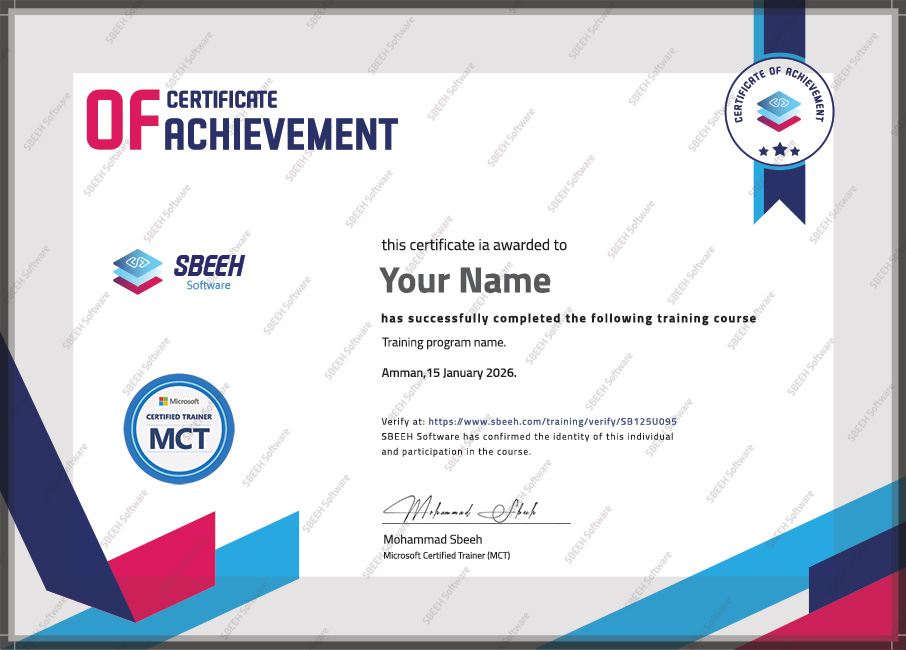

Certificate of Completion
Photo Gallery

Moments From This Training

A look at our training sessions — hands-on training sessions with professionals across Jordan and the GCC.

Interested in this training?

Reach out and we'll help you plan the right training for your team.

Back to all courses