HomeAboutTraining CoursesFAQ
العربيةmohd@sbeeh.com+962 77 984 65 64
SBEEH Software Academy

Instructor-led IT training delivered by Microsoft Certified Trainers (MCT) — in Amman, Jordan, and across the GCC.

Explore

  • About Us
  • IT Training Courses
  • Verify a Certificate
  • FAQ

Get in Touch

  • +962-779846564
  • mohd@sbeeh.com
  • Amman, Jordan

SBEEH Software delivers software development services, advanced technologies implementation, business process automation, IT consulting, and professional IT training led by Microsoft Certified Trainers (MCT) for organizations across Jordan, Saudi Arabia, UAE, Qatar, Kuwait, Bahrain & Oman.

© SBEEH Software. All rights reserved. 2026.

Back to Training Courses
Frontend Web Application Development with React
Frontend DevelopmentIntermediateFace to Face / Online

Frontend Web Application Development with React

Frontend Web Application Development with React is an intermediate Frontend Development course delivered in person and online by SBEEH Software Academy in Amman, Jordan.

5 Days (40 Hours)

Last updated August 16, 2026

This 5-day, intermediate course teaches developers to build modern, production-quality single-page applications using React. Rather than a shallow tour of JSX syntax, the course covers the concepts that separate a working React demo from a maintainable production application: component architecture and composition, state management strategy, data fetching and caching, routing, and testing. Participants build a multi-page application from scratch across the week, progressing from basic components and props, through hooks-based state and side-effect management, to client-side routing with React Router, calling a real REST API, managing global state, and writing component tests. The course deliberately covers common React pitfalls — unnecessary re-renders, stale closures in useEffect, prop drilling — that self-taught developers often learn the hard way in production. This course is designed for frontend and full-stack developers who already know JavaScript/ES6 and want to build real applications in React rather than following isolated tutorials, and for developers coming from other frontend frameworks (Angular, Vue) or from server-rendered applications who need to adopt component-based, client-side architecture.
Official reference: MDN Web Docs

Day 1: React Fundamentals: Components, Props, and JSX

Main Topics:

  • JSX syntax and the virtual DOM
  • Functional components and props
  • Conditional rendering and lists
  • Component composition patterns

Detailed Subtopics:

  • JSX expressions vs. JavaScript control flow
  • Prop types and default props
  • Keys in list rendering and why they matter
  • Splitting UI into reusable, composable components

Hands-On Lab: Build a static product-listing UI as a set of composed components (ProductCard, ProductList, FilterBar) driven entirely by props.

Real-World Scenario: A shopping catalog page needs to render a filterable list of products from a hardcoded dataset before any dynamic behavior is added.

Learning Outcome: Participants can decompose a UI into well-structured, reusable components and pass data correctly via props.

Day 2: State, Hooks, and Side Effects

Main Topics:

  • useState and controlled components
  • useEffect and the dependency array
  • Custom hooks
  • Forms and validation

Detailed Subtopics:

  • Common useEffect pitfalls: missing dependencies, infinite loops, stale closures
  • Extracting reusable logic into custom hooks
  • Controlled vs. uncontrolled form inputs
  • Client-side form validation patterns

Hands-On Lab: Add interactive filtering and a controlled search form to the Day 1 catalog, extracting the filtering logic into a custom hook.

Real-World Scenario: Users need to filter and search the product catalog in real time as they type, without the page needing to reload.

Learning Outcome: Participants can manage local component state and side effects correctly, and can identify and fix common useEffect bugs.

Day 3: Routing and Data Fetching

Main Topics:

  • React Router: routes, navigation, and route parameters
  • Fetching data from a REST API
  • Loading and error states
  • Data caching strategies (React Query/TanStack Query overview)

Detailed Subtopics:

  • Nested routes and layouts
  • useEffect-based fetching vs. dedicated data-fetching libraries
  • Handling race conditions and cancellation
  • Optimistic UI updates

Hands-On Lab: Add multi-page routing (catalog, product detail, cart) to the application, fetching real product data from a REST API with proper loading and error handling.

Real-World Scenario: The catalog needs to become a multi-page application with a product detail view fetched live from a backend API, including graceful handling of network failures.

Learning Outcome: Participants can implement client-side routing and connect a React application to a real backend API robustly.

Day 4: State Management at Scale and Component Testing

Main Topics:

  • Context API for global state
  • When to introduce a state management library (Redux/Zustand)
  • Testing components with React Testing Library
  • Performance: memoization with useMemo/useCallback/React.memo

Detailed Subtopics:

  • Avoiding prop drilling with Context
  • Writing unit tests that test behavior, not implementation
  • Identifying and fixing unnecessary re-renders
  • Choosing between Context, Redux, and Zustand for a given application size

Hands-On Lab: Move the shopping cart into global state using the Context API, add memoization to prevent unnecessary re-renders, and write component tests for the cart logic.

Real-World Scenario: The cart needs to be accessible from the navigation bar, catalog page, and checkout page without passing props through every intermediate component.

Learning Outcome: Participants can design appropriate state-sharing strategies for a growing application and write meaningful automated tests for React components.

Day 5: Production Build, Deployment, and Capstone

Main Topics:

  • Build tooling with Vite
  • Environment configuration and code splitting
  • Accessibility basics for React apps
  • Capstone: complete and deploy the application

Detailed Subtopics:

  • Lazy loading routes with React.lazy and Suspense
  • Environment variables in a Vite build
  • Semantic HTML and ARIA basics in JSX
  • Deploying a static React build

Hands-On Lab: Finalize the multi-page shopping application, add lazy-loaded routes, run an accessibility check, and produce a production build ready for deployment.

Real-World Scenario: The application is ready to hand off to a client; it needs to build correctly for production, load quickly, and meet basic accessibility expectations.

Learning Outcome: Participants leave with a complete, tested, production-built React application and the skills to structure a new project the same way.

Frequently Asked Questions

Additional Notes


Who Is This For?

This course is for developers who already know JavaScript and want to build real, production-quality applications with React.

  • Frontend developers who know HTML/CSS/JavaScript and want to learn React properly
  • Full-stack developers who need to build the UI layer for their backend APIs
  • Developers migrating from other frameworks (Angular, Vue) or server-rendered pages
  • Technical leads evaluating React for an upcoming project

Prerequisites

Solid JavaScript fundamentals are required; this is not a first course in web development.

  • Solid JavaScript/ES6 knowledge (functions, arrays, destructuring, promises/async-await)
  • Working knowledge of HTML and CSS
  • Basic familiarity with npm and the command line
  • No prior React or other frontend framework experience required

What certificate do I get after this course?

Upon successful completion of the training, participants will receive an official Certificate of Completion.
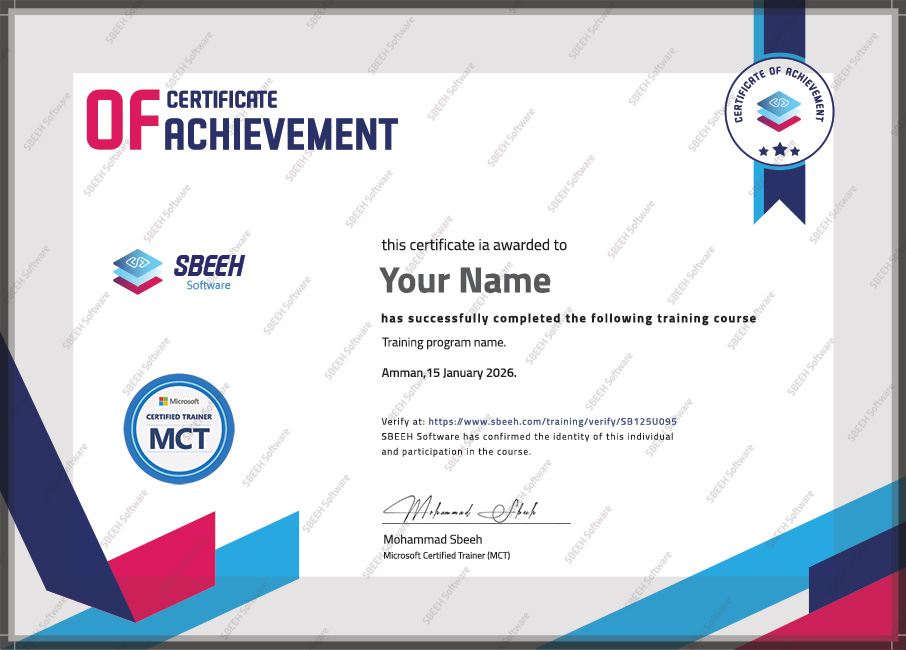

Certificate of Completion
Photo Gallery

Moments From This Training

A look at our training sessions — hands-on training sessions with professionals across Jordan and the GCC.

Interested in this training?

Reach out and we'll help you plan the right training for your team.

Back to all courses