HomeAboutTraining CoursesFAQ
العربيةmohd@sbeeh.com+962 77 984 65 64
SBEEH Software Academy

Instructor-led IT training delivered by Microsoft Certified Trainers (MCT) — in Amman, Jordan, and across the GCC.

Explore

  • About Us
  • IT Training Courses
  • Verify a Certificate
  • FAQ

Get in Touch

  • +962-779846564
  • mohd@sbeeh.com
  • Amman, Jordan

SBEEH Software delivers software development services, advanced technologies implementation, business process automation, IT consulting, and professional IT training led by Microsoft Certified Trainers (MCT) for organizations across Jordan, Saudi Arabia, UAE, Qatar, Kuwait, Bahrain & Oman.

© SBEEH Software. All rights reserved. 2026.

Back to Training Courses
Microsoft Azure Administration
Cloud & AzureIntermediateFace to Face / Online

Microsoft Azure Administration

Microsoft Azure Administration is an intermediate Cloud & Azure course delivered in person and online by SBEEH Software Academy in Amman, Jordan.

4 Days (32 Hours)

Last updated August 16, 2026

This 4-day, intermediate course prepares IT professionals to implement, manage, and monitor Microsoft Azure environments, aligned with the skills measured in the AZ-104: Microsoft Azure Administrator exam. The course is organized around the core responsibilities of a working Azure administrator: identity and governance, compute and storage, virtual networking, and monitoring/backup — the day-to-day tasks of keeping an Azure environment running securely and cost-effectively.

Participants manage Azure AD users, groups, and role-based access control (RBAC), deploy and configure virtual machines and storage accounts, design a virtual network with subnets, network security groups, and peering, and configure monitoring and backup using Azure Monitor and Azure Backup. Cost management and governance (resource groups, tags, policies) are treated as first-class administrative responsibilities throughout, not an afterthought.

This course is designed for IT administrators and infrastructure engineers taking on Azure administration responsibilities, whether migrating from on-premises Windows/VMware administration or starting fresh with cloud infrastructure. It is the standard prerequisite before Microsoft Azure Development for Cloud Solutions and Microsoft DevOps Engineering for teams building out a full Azure skill set.
Official reference: Microsoft Learn: Azure documentation

Day 1: Identity, Governance, and Resource Management

Main Topics:

  • Azure AD (Entra ID) fundamentals
  • Role-based access control (RBAC)
  • Management groups, subscriptions, resource groups
  • Azure Policy and tagging

Detailed Subtopics:

  • Creating and managing users, groups, and administrative units
  • Assigning built-in and custom RBAC roles at the correct scope
  • Designing a resource group and naming/tagging convention
  • Enforcing compliance with Azure Policy

Hands-On Lab: Set up a resource group structure with a tagging convention, assign RBAC roles at appropriate scopes for two teams, and create an Azure Policy that enforces a required tag.

Real-World Scenario: A growing Azure environment has become disorganized, with resources scattered across subscriptions and no consistent way to control who can access what.

Learning Outcome: Participants can design and implement a governance structure with correct identity and access controls.

Day 2: Compute: Virtual Machines and Containers

Main Topics:

  • Deploying and configuring Azure Virtual Machines
  • VM scale sets and availability sets/zones
  • Azure App Service for web hosting
  • Azure Container Instances overview

Detailed Subtopics:

  • Choosing VM sizes and disk types
  • Configuring auto-scaling based on demand
  • Deployment slots for App Service
  • When to choose VMs vs. App Service vs. containers

Hands-On Lab: Deploy a virtual machine scale set behind a load balancer configured to auto-scale based on CPU utilization, and deploy a web application to Azure App Service with a staging deployment slot.

Real-World Scenario: An application experiences unpredictable traffic spikes during marketing campaigns and currently runs on a single, manually sized VM that falls over under load.

Learning Outcome: Participants can deploy scalable compute resources appropriate to different application hosting needs.

Day 3: Storage and Virtual Networking

Main Topics:

  • Azure Storage accounts and services (Blob, File, Table)
  • Storage access tiers and lifecycle management
  • Virtual networks, subnets, and NSGs
  • VNet peering and private endpoints

Detailed Subtopics:

  • Configuring storage redundancy (LRS, ZRS, GRS)
  • Automating tiering with lifecycle management policies
  • Designing subnet segmentation for security
  • Connecting on-premises networks with VPN Gateway (overview)

Hands-On Lab: Design and deploy a segmented virtual network with NSGs restricting traffic between subnets, and configure a storage account with lifecycle management to automatically move old blobs to cool storage.

Real-World Scenario: An application's web and database tiers currently sit in the same open subnet with no network-level isolation between them.

Learning Outcome: Participants can design secure network segmentation and cost-effective storage configurations.

Day 4: Monitoring, Backup, and Cost Management

Main Topics:

  • Azure Monitor and Log Analytics
  • Alerts and action groups
  • Azure Backup and Site Recovery overview
  • Cost management and budgets
  • Capstone: complete environment review

Detailed Subtopics:

  • Configuring metric and log-based alerts
  • Setting up Azure Backup for VMs
  • Reading and acting on Cost Management reports
  • Setting budgets and cost alerts

Hands-On Lab: Configure Azure Monitor alerts for VM health and cost thresholds, enable Azure Backup for a virtual machine, and produce a cost-optimization report for the environment built across the week.

Real-World Scenario: Leadership wants visibility into monthly Azure spend before it grows further, and IT currently has no automated backup for critical VMs.

Learning Outcome: Participants leave able to monitor, back up, and cost-manage a real Azure environment, aligned with AZ-104 exam objectives.

Frequently Asked Questions

Additional Notes


Who Is This For?

This course is for IT professionals who will manage day-to-day Azure infrastructure operations.

  • IT administrators moving from on-premises (Windows Server/VMware) infrastructure to Azure
  • Infrastructure/cloud engineers responsible for Azure environments
  • IT support staff expanding into cloud administration
  • Technical consultants preparing for the AZ-104 certification exam

Prerequisites

Basic IT infrastructure and networking knowledge is expected; this is not an introductory IT course.

  • Basic understanding of IT infrastructure concepts (servers, networking, storage)
  • Familiarity with Windows Server administration is helpful but not mandatory
  • Recommended: prior completion of an Azure fundamentals overview (AZ-900 level) or equivalent exposure
  • An Azure subscription for hands-on labs (trial subscriptions are sufficient)

What certificate do I get after this course?

Upon successful completion of the training, participants will receive an official Certificate of Completion.
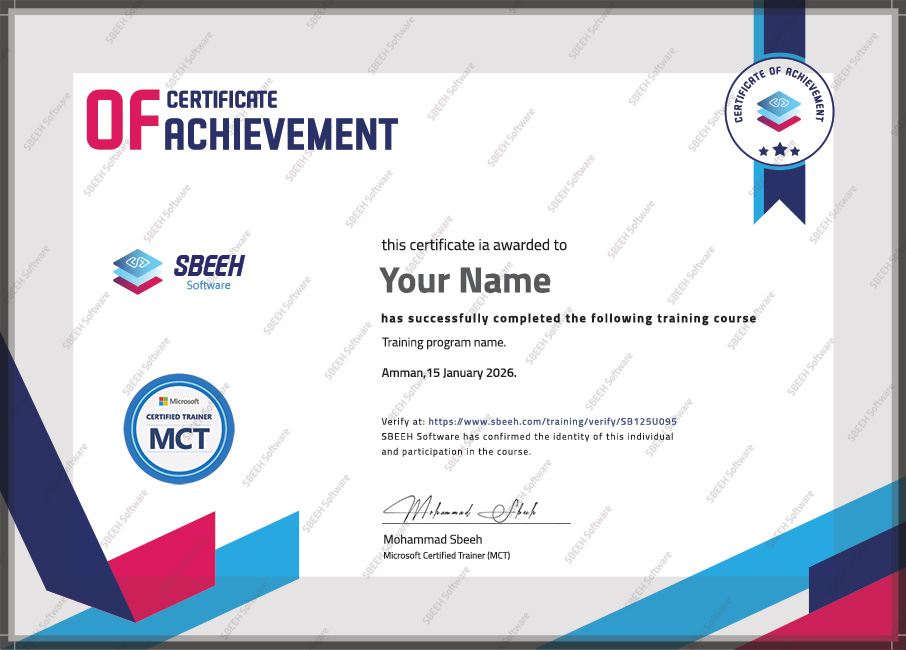

Certificate of Completion
Photo Gallery

Moments From This Training

A look at our training sessions — hands-on training sessions with professionals across Jordan and the GCC.

Interested in this training?

Reach out and we'll help you plan the right training for your team.

Back to all courses