HomeAboutTraining CoursesFAQ
العربيةmohd@sbeeh.com+962 77 984 65 64
SBEEH Software Academy

Instructor-led IT training delivered by Microsoft Certified Trainers (MCT) — in Amman, Jordan, and across the GCC.

Explore

  • About Us
  • IT Training Courses
  • Verify a Certificate
  • FAQ

Get in Touch

  • +962-779846564
  • mohd@sbeeh.com
  • Amman, Jordan

SBEEH Software delivers software development services, advanced technologies implementation, business process automation, IT consulting, and professional IT training led by Microsoft Certified Trainers (MCT) for organizations across Jordan, Saudi Arabia, UAE, Qatar, Kuwait, Bahrain & Oman.

© SBEEH Software. All rights reserved. 2026.

Back to Training Courses
Microsoft Power Automate RPA Development
Power PlatformIntermediateFace to Face / Online

Microsoft Power Automate RPA Development

Microsoft Power Automate RPA Development is an intermediate Power Platform course delivered in person and online by SBEEH Software Academy in Amman, Jordan.

5 Days (40 Hours)

Last updated August 16, 2026

This 5-day course teaches participants to automate business processes using Microsoft Power Automate, covering both cloud flows (API and connector-based automation) and desktop flows (robotic process automation for legacy and UI-based systems that have no API). The course is structured to mirror how automation projects actually get built in organizations: starting with simple triggered cloud flows, progressing to approval workflows and business logic, and finishing with desktop RPA for automating repetitive tasks in legacy Windows applications, Excel, and web browsers that lack modern APIs.

Participants build flows that respond to triggers from SharePoint, Outlook, Excel, and Microsoft Forms, implement approval processes with Power Automate's approval connector, handle errors and retries properly (a step most self-taught automation builders skip), and record and refine desktop automation flows using the Power Automate Desktop recorder and its selector-based UI automation engine.

This course is designed for business analysts, IT administrators, and citizen developers tasked with reducing manual, repetitive work in their organization, as well as developers who want to add RPA and low-code automation to their toolkit alongside traditional coding. It complements the Power Platform Functional Consultant and Developer courses for teams building broader Power Platform solutions.
Official reference: Microsoft Learn: Power Platform documentation

Day 1: Power Automate Fundamentals and Cloud Flows

Main Topics:

  • Power Automate architecture and licensing
  • Trigger types: automated, instant, scheduled
  • Connectors and actions
  • Building a first end-to-end cloud flow

Detailed Subtopics:

  • Understanding the Power Platform environment model
  • Common connectors: SharePoint, Outlook, Excel, Teams
  • Using dynamic content between actions
  • Testing and monitoring flow runs

Hands-On Lab: Build a flow that automatically emails a manager and logs a SharePoint list item whenever a new item is added to a request list.

Real-World Scenario: An office is manually tracking IT equipment requests via email with no visibility into pending requests.

Learning Outcome: Participants can build and test a working automated cloud flow triggered by a real business event.

Day 2: Conditional Logic, Loops, and Data Operations

Main Topics:

  • Condition and switch controls
  • Apply to each and Do Until loops
  • Variables and data operations (Compose, Filter Array, Select)
  • Working with JSON and arrays

Detailed Subtopics:

  • Parsing JSON responses from connectors
  • Filtering and transforming arrays without code
  • Nested conditions and complex branching logic
  • Handling empty or null values safely

Hands-On Lab: Build a flow that processes a batch of Excel rows, applies conditional logic to categorize each row, and writes results back using a loop.

Real-World Scenario: A finance team receives a daily Excel export of expense claims that needs to be validated, categorized, and routed automatically.

Learning Outcome: Participants can build flows with conditional branching and looping logic to process real datasets.

Day 3: Approval Workflows and Business Process Flows

Main Topics:

  • Start and wait for an approval
  • Multi-stage and parallel approvals
  • Approval outcomes and escalation
  • Human-in-the-loop process design

Detailed Subtopics:

  • Sequential vs. parallel approval design
  • Handling approval timeouts and reminders
  • Recording approval decisions back into SharePoint/Dataverse
  • Notification design best practices

Hands-On Lab: Build a two-stage purchase-request approval flow with manager approval followed by finance approval, including escalation if no response within 48 hours.

Real-World Scenario: A procurement process currently relies on forwarded emails and verbal approvals with no audit trail.

Learning Outcome: Participants can design and implement a multi-stage, auditable approval workflow.

Day 4: Error Handling, Governance, and Flow Management

Main Topics:

  • Scope blocks and Configure Run After
  • Try/catch/finally patterns in Power Automate
  • Environments, solutions, and application lifecycle management (ALM)
  • Data Loss Prevention (DLP) policies

Detailed Subtopics:

  • Retry policies and exponential backoff
  • Sending failure notifications with diagnostic detail
  • Exporting/importing flows as managed solutions
  • Governance considerations for citizen-developed automation

Hands-On Lab: Add proper error handling to the Day 3 approval flow using scope blocks and Configure Run After, and package it as a managed solution for deployment.

Real-World Scenario: A previously built flow fails silently when a connector times out, and no one on the team notices until a business process stalls for days.

Learning Outcome: Participants can build resilient flows with proper error handling and manage them through solutions for safe deployment across environments.

Day 5: Power Automate Desktop and RPA

Main Topics:

  • Desktop flows vs. cloud flows
  • The Power Automate Desktop recorder
  • UI automation with selectors
  • Combining desktop and cloud flows (attended/unattended automation)

Detailed Subtopics:

  • Recording and editing actions against legacy Windows applications
  • Excel and web browser automation
  • Handling UI timing issues and dynamic selectors
  • Triggering desktop flows from cloud flows for hybrid automation

Hands-On Lab: Record and refine a desktop flow that extracts data from a legacy desktop application and a browser-based portal into a shared Excel file, triggered from a cloud flow.

Real-World Scenario: A back-office team manually re-keys data between a legacy Windows application with no API and a modern web portal every morning.

Learning Outcome: Participants leave with a working hybrid automation combining cloud flows and desktop RPA, applicable directly to legacy-system automation problems in their own organization.

Frequently Asked Questions

Additional Notes


Who Is This For?

This course targets people responsible for reducing manual, repetitive work in their organization, whether or not they have a traditional development background.

  • Business analysts and citizen developers building process automation
  • IT administrators supporting departmental automation requests
  • Operations and back-office staff drowning in repetitive manual tasks
  • Developers adding low-code RPA to a broader Power Platform skill set

Prerequisites

No coding experience is required, but familiarity with everyday Microsoft 365 tools is expected.

  • Working knowledge of Microsoft 365 tools (SharePoint, Outlook, Excel, Teams)
  • A Power Automate license (trial or organizational) for hands-on labs
  • No prior programming experience required
  • Basic understanding of the business process to be automated is helpful for applying labs to real scenarios

What certificate do I get after this course?

Upon successful completion of the training, participants will receive an official Certificate of Completion.
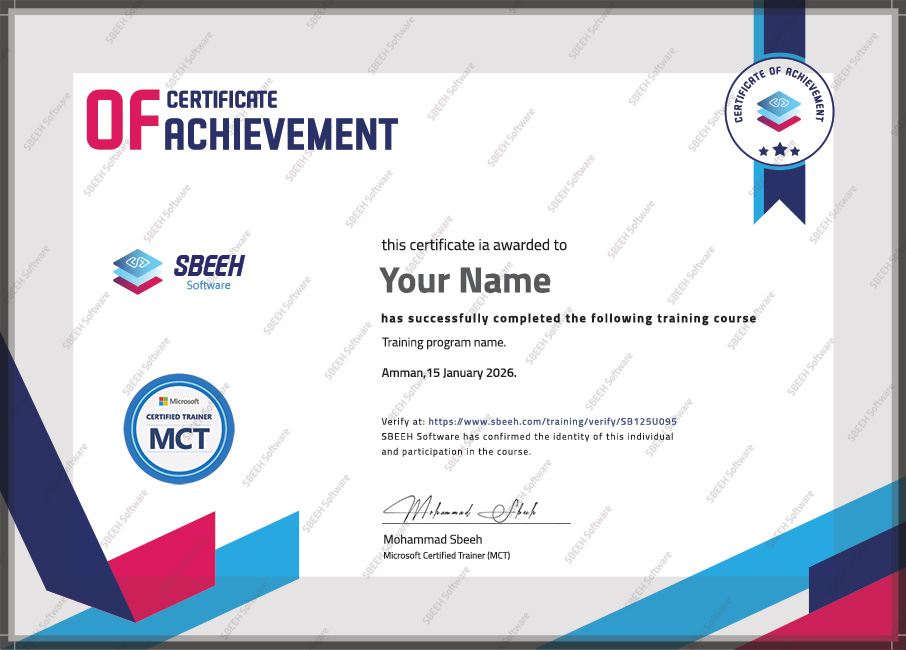

Certificate of Completion
Photo Gallery

Moments From This Training

A look at our training sessions — hands-on training sessions with professionals across Jordan and the GCC.

Interested in this training?

Reach out and we'll help you plan the right training for your team.

Back to all courses