HomeAboutTraining CoursesFAQ
العربيةmohd@sbeeh.com+962 77 984 65 64
SBEEH Software Academy

Instructor-led IT training delivered by Microsoft Certified Trainers (MCT) — in Amman, Jordan, and across the GCC.

Explore

  • About Us
  • IT Training Courses
  • Verify a Certificate
  • FAQ

Get in Touch

  • +962-779846564
  • mohd@sbeeh.com
  • Amman, Jordan

SBEEH Software delivers software development services, advanced technologies implementation, business process automation, IT consulting, and professional IT training led by Microsoft Certified Trainers (MCT) for organizations across Jordan, Saudi Arabia, UAE, Qatar, Kuwait, Bahrain & Oman.

© SBEEH Software. All rights reserved. 2026.

Back to Training Courses
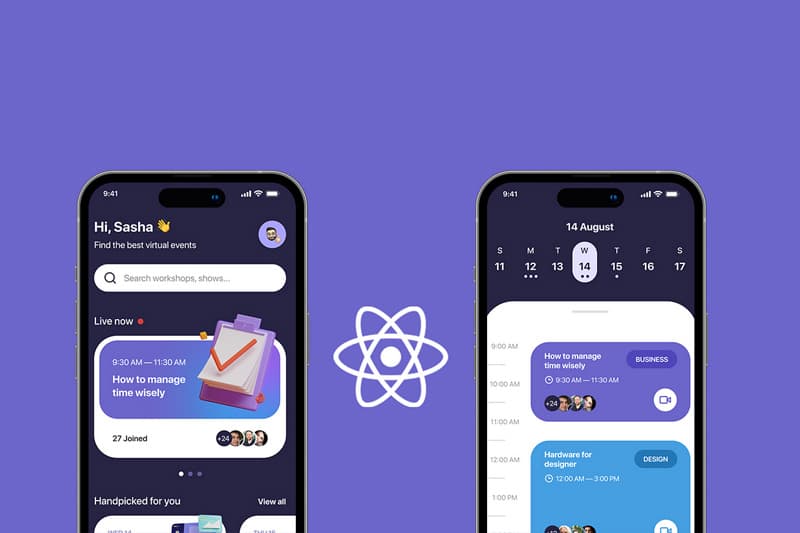
Mobile App Development with React Native
Mobile DevelopmentIntermediateFace to Face / Online

Mobile App Development with React Native

Mobile App Development with React Native is an intermediate Mobile Development course delivered in person and online by SBEEH Software Academy in Amman, Jordan.

4 Days (32 Hours)

Last updated August 16, 2026

This 4-day, intermediate course teaches developers to build cross-platform mobile applications for iOS and Android using React Native, sharing a single JavaScript/TypeScript codebase across both platforms. The course assumes React knowledge and focuses specifically on what's different about mobile: native components instead of DOM elements, navigation patterns, device APIs, and platform-specific behavior.

Participants build a multi-screen mobile application from scratch, implement navigation with React Navigation (stack and tab navigators), access device capabilities such as the camera and location, persist data locally, connect to a backend REST API, and prepare the application for release with proper platform-specific configuration for iOS and Android.

This course is designed for React developers who want to extend their skills into mobile development without learning a completely separate native toolkit (Swift/Kotlin), and for mobile teams evaluating React Native as a way to maintain one codebase for both platforms instead of two separate native teams. Prior completion of the Frontend Web Application Development with React course, or equivalent React experience, is strongly recommended.
Official reference: React Native documentation

Day 1: React Native Fundamentals and Core Components

Main Topics:

  • React Native architecture (bridge/new architecture overview)
  • Core components: View, Text, ScrollView, FlatList
  • Styling with StyleSheet and Flexbox
  • Development workflow with Expo

Detailed Subtopics:

  • How React Native differs from React for web (no DOM)
  • Building performant lists with FlatList
  • Platform-specific styling (Platform.OS)
  • Running the app on a simulator/emulator and physical device

Hands-On Lab: Build the static screens of a task-management app (a task list and a task detail screen) using core React Native components and Flexbox layout.

Real-World Scenario: A team wants to build a simple task-tracking mobile app for field staff who currently use paper checklists.

Learning Outcome: Participants can build styled, performant mobile screens using React Native's core components.

Day 2: Navigation and State Management

Main Topics:

  • React Navigation: stack and tab navigators
  • Passing parameters between screens
  • State management for a mobile app (Context/local state)
  • Forms and input handling on mobile

Detailed Subtopics:

  • Nested navigators (tabs within a stack)
  • Type-safe navigation parameters (with TypeScript)
  • Choosing between local state, Context, and a dedicated library for a mobile app's needs
  • Keyboard handling and mobile-specific form UX

Hands-On Lab: Add stack and tab navigation to the task app, wire up a form for creating new tasks, and manage the task list in shared state accessible across screens.

Real-World Scenario: Field staff need to navigate between a task list, task details, and a settings screen, and add new tasks from a form.

Learning Outcome: Participants can implement multi-screen navigation and appropriate state management for a mobile application.

Day 3: Device APIs and Local Data Persistence

Main Topics:

  • Accessing the camera and photo library
  • Location services
  • Local storage (AsyncStorage / SQLite)
  • Permissions handling on iOS and Android

Detailed Subtopics:

  • Requesting and handling runtime permissions correctly on both platforms
  • Attaching a photo to a task using the camera
  • Persisting tasks locally so the app works offline
  • Choosing AsyncStorage vs. a local database for structured data

Hands-On Lab: Add photo attachment (via camera) and offline persistence to the task app so tasks survive an app restart even without network connectivity.

Real-World Scenario: Field staff often work in areas with poor connectivity and need to be able to create and view tasks, including a photo, entirely offline.

Learning Outcome: Participants can integrate native device capabilities and implement reliable local data persistence.

Day 4: API Integration, Testing, and Release Preparation

Main Topics:

  • Connecting to a backend REST API
  • Syncing local and remote data
  • Testing React Native components
  • Preparing builds for iOS App Store and Google Play

Detailed Subtopics:

  • Handling offline-first sync conflicts
  • Error and loading states for network calls on mobile
  • Component testing with React Native Testing Library
  • App icons, splash screens, and store metadata configuration

Hands-On Lab: Connect the task app to a backend API to sync tasks created offline, write tests for the core task-list component, and configure the app for a release build.

Real-World Scenario: The task app is ready to be piloted with a small group of real field staff and needs to sync with the central office system and be installable as a proper release build.

Learning Outcome: Participants leave with a complete, tested, offline-capable mobile application connected to a real API and configured for release, and the skills to start a new React Native project independently.

Frequently Asked Questions

Additional Notes


Who Is This For?

This course is for developers who already know React and want to extend into cross-platform mobile development.

  • React developers extending their skills into mobile app development
  • Mobile development teams evaluating a single cross-platform codebase over separate native teams
  • Full-stack developers who need to build a companion mobile app for an existing web/API product
  • Technical leads assessing React Native for a new mobile project

Prerequisites

Working React knowledge is required; this course does not re-teach React fundamentals.

  • Working knowledge of React (equivalent to the Frontend Web Application Development with React course)
  • Solid JavaScript/ES6 (TypeScript familiarity is helpful)
  • Basic familiarity with mobile app concepts (screens, navigation) as a user
  • A development machine capable of running Android Studio and/or Xcode simulators for labs

What certificate do I get after this course?

Upon successful completion of the training, participants will receive an official Certificate of Completion.
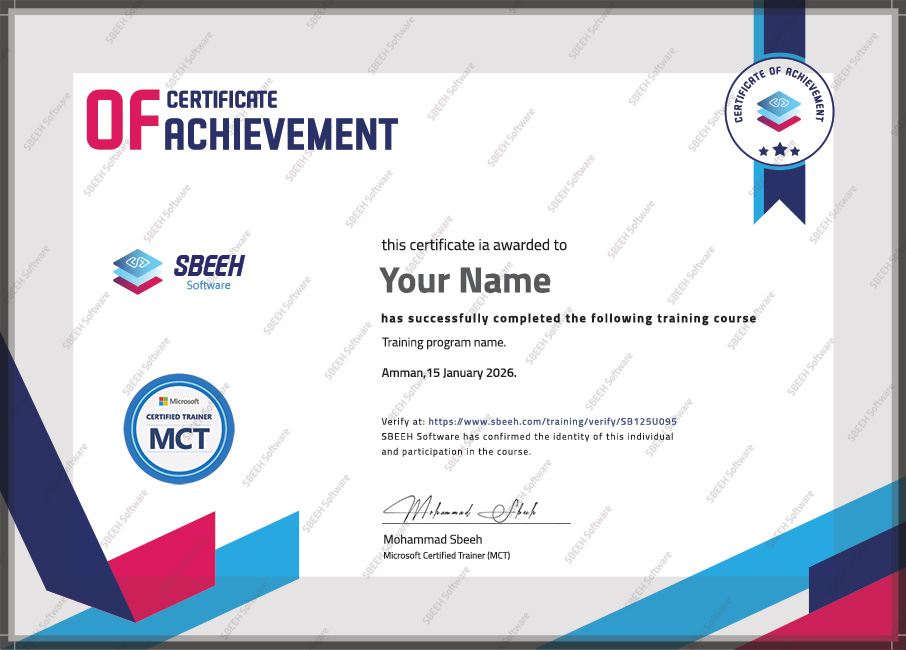

Certificate of Completion
Photo Gallery

Moments From This Training

A look at our training sessions — hands-on training sessions with professionals across Jordan and the GCC.

Interested in this training?

Reach out and we'll help you plan the right training for your team.

Back to all courses