HomeAboutTraining CoursesFAQ
العربيةmohd@sbeeh.com+962 77 984 65 64
SBEEH Software Academy

Instructor-led IT training delivered by Microsoft Certified Trainers (MCT) — in Amman, Jordan, and across the GCC.

Explore

  • About Us
  • IT Training Courses
  • Verify a Certificate
  • FAQ

Get in Touch

  • +962-779846564
  • mohd@sbeeh.com
  • Amman, Jordan

SBEEH Software delivers software development services, advanced technologies implementation, business process automation, IT consulting, and professional IT training led by Microsoft Certified Trainers (MCT) for organizations across Jordan, Saudi Arabia, UAE, Qatar, Kuwait, Bahrain & Oman.

© SBEEH Software. All rights reserved. 2026.

Back to Training Courses
Modern Full-Stack Web Development with Blazor
.NET DevelopmentIntermediateFace to Face / Online

Modern Full-Stack Web Development with Blazor

Modern Full-Stack Web Development with Blazor is an intermediate .NET Development course delivered in person and online by SBEEH Software Academy in Amman, Jordan.

5 Days (40 Hours)

Last updated August 16, 2026

This 5-day, intermediate course teaches .NET developers to build modern, interactive full-stack web applications using Blazor, allowing C# to be used for both frontend and backend development instead of maintaining a separate JavaScript frontend. The course covers Blazor's component model, both Server and WebAssembly (WASM) hosting models, and how to choose correctly between them for a given application.

Participants build a component-based UI with data binding and event handling, understand the real trade-offs between Blazor Server (fast startup, requires a persistent connection) and Blazor WebAssembly (runs entirely in the browser, larger initial download), implement state management and authentication, and connect the application to a backend API and database using patterns consistent with the rest of the .NET ecosystem (Entity Framework Core, dependency injection).

This course is designed for ASP.NET Core developers who want to build interactive web UIs entirely in C# without adopting a separate JavaScript framework, and for full-stack .NET teams standardizing on a single language across the stack. Working knowledge of ASP.NET Core (equivalent to the Cross-Platform Web Applications course) is expected.
Official reference: Microsoft Learn: .NET documentation

Day 1: Blazor Fundamentals and Component Model

Main Topics:

  • Blazor Server vs. Blazor WebAssembly vs. Blazor United (render modes)
  • Component structure: .razor files, parameters, and events
  • Data binding (one-way and two-way)
  • Component lifecycle methods

Detailed Subtopics:

  • Choosing a hosting/render model based on connectivity and startup needs
  • Parent-child component communication with parameters and EventCallback
  • @bind and two-way binding pitfalls
  • OnInitializedAsync and other lifecycle hooks

Hands-On Lab: Build a set of composed Blazor components (a data grid and a filter panel) for a product catalog, using parameters and event callbacks for parent-child communication.

Real-World Scenario: A team building an internal admin tool wants an interactive UI without maintaining a separate JavaScript/React codebase alongside their ASP.NET Core backend.

Learning Outcome: Participants can build and compose Blazor components with correct data binding and component communication.

Day 2: Forms, Validation, and State Management

Main Topics:

  • EditForm and built-in validation
  • Custom validation logic
  • Component state vs. application-wide state (cascading values, state containers)
  • Dependency injection in Blazor components

Detailed Subtopics:

  • Data annotations validation in Blazor forms
  • Building a custom validator for business rules
  • Cascading parameters vs. a dedicated state container service
  • Injecting scoped services correctly per render model

Hands-On Lab: Build a validated product-creation form and a shared shopping-cart state container accessible from multiple components across the app.

Real-World Scenario: The catalog's cart needs to be visible and updatable from both the product grid and a persistent cart summary in the page header.

Learning Outcome: Participants can build validated forms and design an appropriate state-sharing strategy for a growing Blazor application.

Day 3: Data Access and Backend Integration

Main Topics:

  • Connecting Blazor to a backend API
  • Entity Framework Core integration (Blazor Server)
  • HttpClient configuration for Blazor WebAssembly
  • Handling loading, error, and empty states

Detailed Subtopics:

  • Calling a minimal API or controller-based API from a Blazor WASM client
  • Direct EF Core access considerations in Blazor Server
  • Configuring typed HttpClient with dependency injection
  • Designing resilient UI states for network calls

Hands-On Lab: Connect the catalog application to a real backend API (built with minimal APIs), fetching and persisting product data, with proper loading and error handling in the UI.

Real-World Scenario: The catalog currently uses hardcoded in-memory data and needs to read and write real product data from a database through an API.

Learning Outcome: Participants can connect a Blazor application to a real backend data source using patterns appropriate to the chosen hosting model.

Day 4: Authentication and Authorization

Main Topics:

  • ASP.NET Core Identity integration with Blazor
  • AuthorizeView and route-level authorization
  • Securing API calls from Blazor WebAssembly
  • Role- and policy-based access control

Detailed Subtopics:

  • Configuring authentication state providers
  • Conditionally rendering UI based on the current user's role
  • Attaching auth tokens to HttpClient calls in WASM
  • Testing authorization logic across different user roles

Hands-On Lab: Add authentication to the catalog application, restrict the product-creation form to an Admin role using AuthorizeView, and secure the underlying API calls accordingly.

Real-World Scenario: Any logged-in user can currently create or delete products, but only admin staff should have that ability.

Learning Outcome: Participants can secure a Blazor application end-to-end, from UI-level rendering down to the API calls it makes.

Day 5: Performance, Deployment, and Capstone

Main Topics:

  • Performance considerations for Blazor Server vs. WASM
  • Lazy loading assemblies in Blazor WASM
  • Deployment considerations
  • Capstone: complete and deploy the application

Detailed Subtopics:

  • Managing SignalR connection reliability in Blazor Server
  • Reducing initial WASM download size
  • Hosting Blazor apps (Azure App Service, static hosting for WASM)
  • Choosing a final render mode based on the application's real requirements

Hands-On Lab: Finalize the catalog application, apply performance optimizations appropriate to the chosen render mode, and publish and deploy it to Azure App Service.

Real-World Scenario: The catalog application is ready to move from a developer's machine to a production environment where dozens of concurrent internal users will use it daily.

Learning Outcome: Participants leave with a complete, secured, deployed full-stack Blazor application and a clear framework for choosing the right Blazor hosting model for future projects.

Frequently Asked Questions

Additional Notes


Who Is This For?

This course is for .NET developers who want to build interactive web UIs entirely in C#, without adopting a separate JavaScript framework.

  • ASP.NET Core developers building interactive internal or customer-facing web applications
  • Full-stack .NET teams standardizing on C# across the entire stack
  • Developers evaluating Blazor as an alternative to React or Angular for a .NET-centric team
  • Technical leads planning a migration from an older ASP.NET UI technology (WebForms, older MVC)

Prerequisites

Working ASP.NET Core knowledge is required; this course builds directly on core .NET web development skills.

  • Working knowledge of ASP.NET Core (equivalent to the Cross-Platform Web Applications with ASP.NET Core course)
  • Solid C# and object-oriented programming knowledge
  • Basic understanding of HTML/CSS for component markup
  • Basic REST API concepts for the data-access modules

What certificate do I get after this course?

Upon successful completion of the training, participants will receive an official Certificate of Completion.
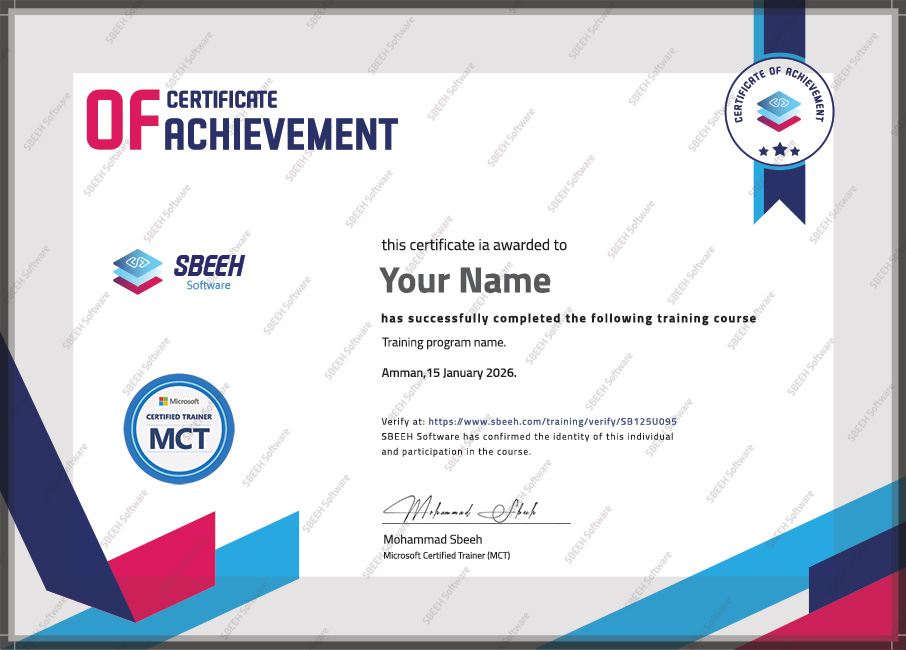

Certificate of Completion
Photo Gallery

Moments From This Training

A look at our training sessions — hands-on training sessions with professionals across Jordan and the GCC.

Interested in this training?

Reach out and we'll help you plan the right training for your team.

Back to all courses