
HomeAboutTraining CoursesFAQ
العربيةmohd@sbeeh.com+962 77 984 65 64
SBEEH Software Academy

Instructor-led IT training delivered by Microsoft Certified Trainers (MCT) — in Amman, Jordan, and across the GCC.

Explore

  • About Us
  • IT Training Courses
  • Verify a Certificate
  • FAQ

Get in Touch

  • +962-779846564
  • mohd@sbeeh.com
  • Amman, Jordan

SBEEH Software delivers software development services, advanced technologies implementation, business process automation, IT consulting, and professional IT training led by Microsoft Certified Trainers (MCT) for organizations across Jordan, Saudi Arabia, UAE, Qatar, Kuwait, Bahrain & Oman.

© SBEEH Software. All rights reserved. 2026.

Back to Training Courses
Modern Web Development with HTML5, CSS3, and JavaScript
Frontend DevelopmentBeginnerFace to Face / Online

Modern Web Development with HTML5, CSS3, and JavaScript

Modern Web Development with HTML5, CSS3, and JavaScript is a beginner Frontend Development course delivered in person and online by SBEEH Software Academy in Amman, Jordan.

5 Days (40 Hours)

Last updated August 16, 2026

This 5-day, beginner-level course teaches the three foundational technologies of the web — HTML5, CSS3, and JavaScript — from first principles, building toward a complete, responsive, interactive website by the end of the week. Rather than teaching these as three disconnected subjects, the course shows how structure (HTML), presentation (CSS), and behavior (JavaScript) work together in every real website.

Participants write semantic HTML5 markup, style and lay out pages using modern CSS (Flexbox and Grid) with responsive design for mobile and desktop, and add interactivity with vanilla JavaScript — DOM manipulation, event handling, and fetching data from an API — without relying on a framework, so the underlying concepts are fully understood before frameworks are introduced.

This course is the standard starting point for anyone with no prior web development background: career-changers, IT professionals expanding into development, marketing or design professionals who want to understand and edit websites directly, and junior developers who need a solid foundation before moving into a framework such as React (covered in the separate Frontend Web Application Development with React course).
Official reference: MDN Web Docs

Day 1: HTML5 Structure and Semantics

Main Topics:

  • HTML document structure
  • Semantic elements (header, nav, main, article, section)
  • Forms and input types
  • Accessibility basics

Detailed Subtopics:

  • Why semantic markup matters for SEO and accessibility
  • Building accessible forms with labels and ARIA attributes
  • Tables for tabular data (not layout)
  • Validating HTML markup

Hands-On Lab: Build the semantic HTML structure for a multi-section personal portfolio site, including a contact form with properly labeled inputs.

Real-World Scenario: A freelance professional needs a simple personal website with an about section, a portfolio gallery, and a contact form.

Learning Outcome: Participants can write clean, semantic, accessible HTML5 markup for a real multi-section page.

Day 2: CSS3 Styling and Layout Fundamentals

Main Topics:

  • The box model and CSS selectors
  • Typography and color
  • Flexbox for one-dimensional layout
  • CSS Grid for two-dimensional layout

Detailed Subtopics:

  • Specificity and the cascade
  • Building a navigation bar with Flexbox
  • Building a gallery/card layout with Grid
  • Using CSS custom properties (variables)

Hands-On Lab: Style the Day 1 portfolio site: a Flexbox navigation bar, a Grid-based portfolio gallery, and consistent typography using CSS variables.

Real-World Scenario: The portfolio site's raw HTML needs to look professional and visually organized before it's shown to potential clients.

Learning Outcome: Participants can lay out a real page using modern CSS (Flexbox and Grid) without relying on a framework.

Day 3: Responsive Design

Main Topics:

  • Mobile-first design principles
  • Media queries and breakpoints
  • Responsive images
  • Testing across device sizes

Detailed Subtopics:

  • Fluid units (%, rem, vw/vh) vs. fixed units
  • Designing a navigation pattern that adapts to mobile (e.g., a hamburger menu)
  • srcset and responsive image loading
  • Using browser dev tools to test responsiveness

Hands-On Lab: Make the portfolio site fully responsive across mobile, tablet, and desktop breakpoints, including a mobile navigation pattern.

Real-World Scenario: Analytics show over half of the site's visitors are on mobile devices, but the current layout breaks below 768px width.

Learning Outcome: Participants can design and implement a responsive layout that works correctly across common device sizes.

Day 4: JavaScript Fundamentals and the DOM

Main Topics:

  • JavaScript syntax, variables, and functions
  • The Document Object Model (DOM)
  • Event handling
  • Manipulating page content dynamically

Detailed Subtopics:

  • let/const vs. var and scope
  • Selecting and modifying DOM elements
  • Event listeners and event delegation
  • Form validation with JavaScript

Hands-On Lab: Add JavaScript interactivity to the portfolio site: a mobile menu toggle, client-side contact form validation, and a dynamically filterable portfolio gallery.

Real-World Scenario: The contact form currently allows submission with an empty or invalid email address, and the portfolio gallery needs a working category filter.

Learning Outcome: Participants can use vanilla JavaScript to manipulate the DOM and respond to user interaction correctly.

Day 5: Working with APIs and Project Completion

Main Topics:

  • Fetch API and asynchronous JavaScript (promises/async-await)
  • Consuming a public REST API
  • Error handling for network requests
  • Capstone: finalize and deploy the site

Detailed Subtopics:

  • Understanding asynchronous code and the event loop at a beginner level
  • Rendering fetched JSON data into the DOM
  • Handling loading and error states
  • Basic deployment to a static hosting service

Hands-On Lab: Add a dynamic section to the portfolio site that fetches and displays live data from a public API (e.g., weather or GitHub repositories), with proper loading and error states, then deploy the finished site.

Real-World Scenario: The portfolio would benefit from a live 'currently reading' or 'latest projects' section pulled automatically from an external service rather than manually updated.

Learning Outcome: Participants leave with a complete, responsive, interactive website — built and deployed entirely with HTML5, CSS3, and vanilla JavaScript — and the foundation needed to move into a framework such as React.

Frequently Asked Questions

Additional Notes


Who Is This For?

This course is the standard entry point for anyone with no prior web development background who wants to build real websites from scratch.

  • Complete beginners and career-changers entering web development
  • IT professionals, designers, or marketers who want to understand and edit websites directly
  • Students preparing for further study in frontend frameworks
  • Junior developers needing a solid HTML/CSS/JS foundation before learning React or Angular

Prerequisites

No prior web development or programming experience is required.

  • No prior HTML, CSS, or JavaScript experience required
  • Basic computer literacy (file management, using a web browser)
  • No prior programming experience required — programming logic is taught from first principles on Day 4
  • A laptop with a modern browser and a code editor (VS Code provided/guided) for labs

What certificate do I get after this course?

Upon successful completion of the training, participants will receive an official Certificate of Completion.
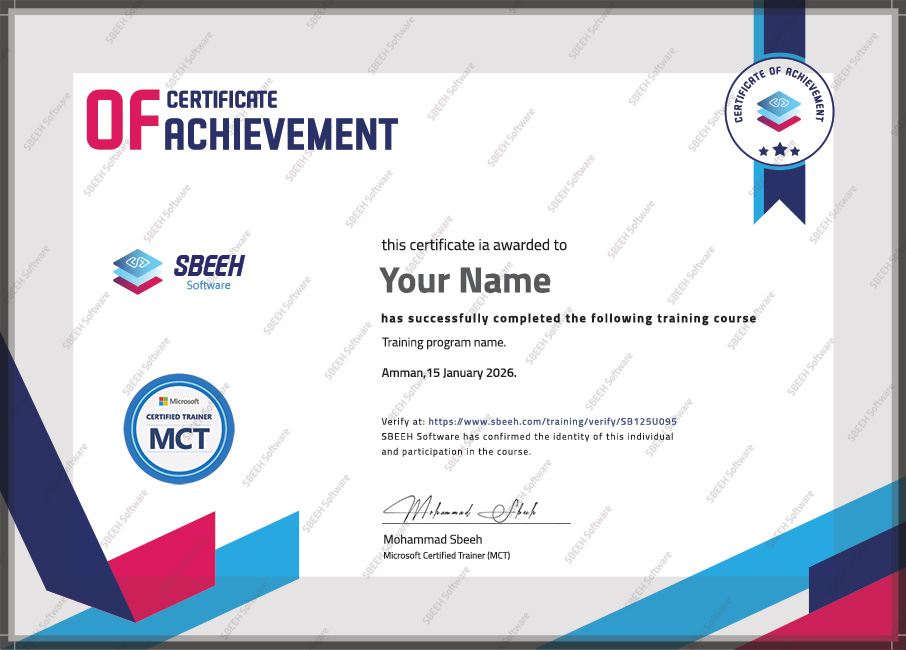

Certificate of Completion
Photo Gallery

Moments From This Training

A look at our training sessions — hands-on training sessions with professionals across Jordan and the GCC.

Interested in this training?

Reach out and we'll help you plan the right training for your team.

Back to all courses