HomeAboutTraining CoursesFAQ
العربيةmohd@sbeeh.com+962 77 984 65 64
SBEEH Software Academy

Instructor-led IT training delivered by Microsoft Certified Trainers (MCT) — in Amman, Jordan, and across the GCC.

Explore

  • About Us
  • IT Training Courses
  • Verify a Certificate
  • FAQ

Get in Touch

  • +962-779846564
  • mohd@sbeeh.com
  • Amman, Jordan

SBEEH Software delivers software development services, advanced technologies implementation, business process automation, IT consulting, and professional IT training led by Microsoft Certified Trainers (MCT) for organizations across Jordan, Saudi Arabia, UAE, Qatar, Kuwait, Bahrain & Oman.

© SBEEH Software. All rights reserved. 2026.

Back to Training Courses
Microsoft Power Platform Developer – Level 2
Power PlatformIntermediateFace to Face / Online

Microsoft Power Platform Developer – Level 2

Microsoft Power Platform Developer – Level 2 is an intermediate Power Platform course delivered in person and online by SBEEH Software Academy in Amman, Jordan.

5 Days (40 Hours)

Last updated August 16, 2026

This 5-day, intermediate course teaches developers to extend Power Platform solutions with custom pro-code components, aligned with the skills measured in Microsoft's PL-400 exam. Building on functional consultant-level configuration skills, this course focuses specifically on what requires code: Power Automate custom connectors, Dataverse plug-ins, Power Apps Component Framework (PCF) controls, and integrating Power Platform with external Azure services.

Participants build a custom connector to expose an external API to Power Automate and Power Apps, write server-side business logic using Dataverse plug-ins in C#, build a custom PCF control for a canvas or model-driven app UI need the built-in controls can't meet, and integrate Dataverse with Azure Functions for scenarios beyond what low-code configuration alone can achieve.

This course is designed for developers who already have Power Platform functional consultant-level experience (equivalent to the Functional Consultant – Level 1 course) and want to extend their skills into pro-code development, as well as .NET/Azure developers joining a Power Platform team who need to understand its extensibility model. It is the standard second step in the Power Platform learning path, before the Solution Architect – Level 3 course.
Official reference: Microsoft Learn: Power Platform documentation

Day 1: Power Platform Developer Fundamentals and the Extensibility Model

Main Topics:

  • When to extend with code vs. configure with low-code
  • Power Platform CLI and development tooling
  • Dataverse Web API fundamentals
  • Solution structure for pro-code components

Detailed Subtopics:

  • Setting up a developer environment with the Power Platform CLI
  • Authenticating and calling the Dataverse Web API directly
  • Understanding solution layering for managed pro-code components
  • Source control for Power Platform pro-code projects

Hands-On Lab: Set up a development environment with the Power Platform CLI, and call the Dataverse Web API directly from a console application to query and create records.

Real-World Scenario: A development team building on Power Platform needs to integrate their Dataverse environment with an existing .NET codebase via direct API calls rather than only through Power Automate.

Learning Outcome: Participants can set up a proper pro-code development environment and interact with Dataverse directly through its API.

Day 2: Dataverse Plug-in Development

Main Topics:

  • Plug-in architecture and the event pipeline
  • Writing and registering a plug-in in C#
  • Synchronous vs. asynchronous plug-in execution
  • Debugging and testing plug-ins

Detailed Subtopics:

  • Pre-operation vs. post-operation plug-in stages
  • Accessing the plug-in execution context and organization service
  • Registering plug-ins with the Plugin Registration Tool
  • Unit testing plug-in logic with mocked services

Hands-On Lab: Write and register a Dataverse plug-in that enforces a complex business rule (e.g., preventing an order from being created if a customer's credit limit would be exceeded) that cannot be expressed with a no-code business rule.

Real-World Scenario: A credit-limit validation rule involves calculations across related records that the built-in business rules and Power Automate cannot reliably enforce synchronously.

Learning Outcome: Participants can write, register, and test a Dataverse plug-in that enforces business logic beyond the reach of low-code configuration.

Day 3: Custom Connectors and API Integration

Main Topics:

  • Building a custom connector for Power Automate/Power Apps
  • OpenAPI definitions for custom connectors
  • Authentication for custom connectors (API key, OAuth 2.0)
  • Certifying and sharing connectors

Detailed Subtopics:

  • Defining actions and triggers in a custom connector
  • Handling paging and rate limits from the external API
  • Testing a custom connector inside a flow
  • Managing custom connector versioning

Hands-On Lab: Build a custom connector exposing a sample external REST API (e.g., a shipping-rate lookup service) to Power Automate, with API key authentication, and use it inside a flow.

Real-World Scenario: The organization uses a third-party shipping API with no existing Power Platform connector, and several teams need to use it inside their own flows.

Learning Outcome: Participants can build and share a reusable custom connector that extends Power Automate and Power Apps to any external API.

Day 4: Power Apps Component Framework (PCF)

Main Topics:

  • PCF architecture and component types
  • Building a custom field/dataset control
  • Styling and packaging a PCF control
  • Deploying PCF controls to model-driven and canvas apps

Detailed Subtopics:

  • Field controls vs. dataset controls
  • Using TypeScript and React within a PCF control
  • Handling the control lifecycle (init, updateView, destroy)
  • Packaging and importing a PCF control as a solution component

Hands-On Lab: Build a custom PCF field control (e.g., a star-rating input or a specialized date picker) not available in the standard Power Apps control library, and deploy it to a model-driven app form.

Real-World Scenario: A customer-satisfaction form needs a visual star-rating input, which has no equivalent among Power Apps' built-in field controls.

Learning Outcome: Participants can build and deploy a custom PCF control that extends the Power Apps UI beyond its built-in capabilities.

Day 5: Azure Integration and Capstone

Main Topics:

  • Integrating Dataverse with Azure Functions
  • Dataverse webhooks and Service Bus integration
  • Application Lifecycle Management (ALM) for pro-code components
  • Capstone: complete extended solution

Detailed Subtopics:

  • Triggering an Azure Function from a Dataverse plug-in step or webhook
  • Designing for asynchronous, decoupled integration with external Azure services
  • Packaging plug-ins, connectors, and PCF controls into one deployable solution
  • Testing pro-code components across dev/test/prod environments

Hands-On Lab: Integrate the Day 2 plug-in with an Azure Function via a webhook to trigger an external notification, then package all of the week's components (plug-in, custom connector, PCF control) into a single managed solution ready for deployment.

Real-World Scenario: When a high-value order is created, the finance team wants an automatic notification sent through an existing external Azure-based notification service.

Learning Outcome: Participants leave with a complete, working set of pro-code Power Platform extensions and the skills to package and deploy them safely, aligned with PL-400 exam objectives.

Frequently Asked Questions

Additional Notes


Who Is This For?

This course is for developers extending Power Platform solutions with code, building on functional consultant-level configuration skills.

  • Power Platform functional consultants extending their skills into pro-code development
  • .NET/Azure developers joining a Power Platform team who need its extensibility model
  • Solution architects who need hands-on understanding of what pro-code extensibility can achieve
  • Technical consultants preparing for the PL-400 certification exam

Prerequisites

This course assumes prior Power Platform configuration experience and working C# knowledge; it is not an introduction to Power Platform.

  • Power Platform functional consultant-level experience (equivalent to the Functional Consultant – Level 1 course)
  • Working knowledge of C# and object-oriented programming
  • Basic understanding of REST APIs and OpenAPI/Swagger definitions
  • Basic TypeScript/JavaScript familiarity is helpful for the PCF module

What certificate do I get after this course?

Upon successful completion of the training, participants will receive an official Certificate of Completion.
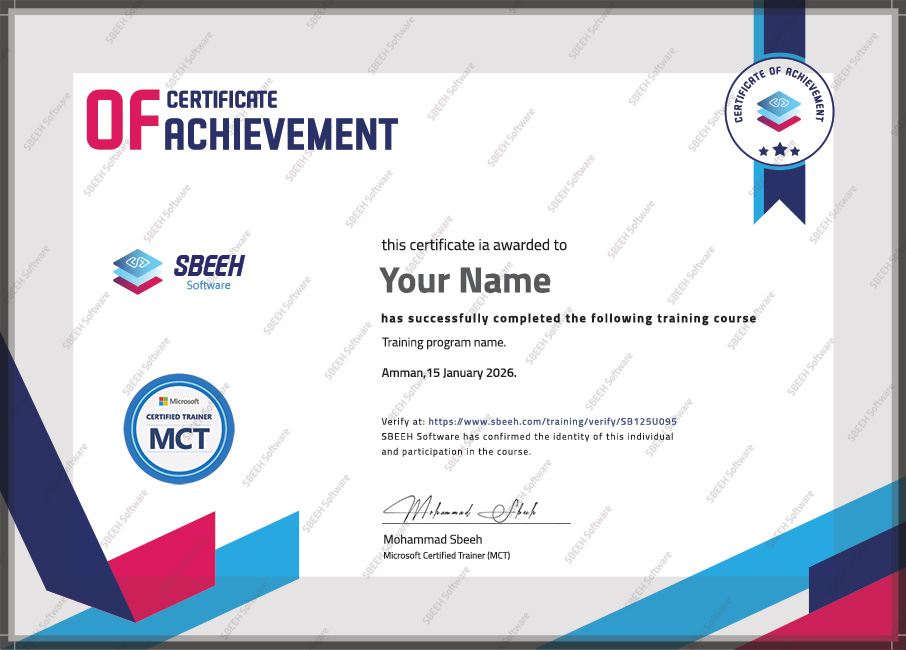

Certificate of Completion
Photo Gallery

Moments From This Training

A look at our training sessions — hands-on training sessions with professionals across Jordan and the GCC.

Interested in this training?

Reach out and we'll help you plan the right training for your team.

Back to all courses