HomeAboutTraining CoursesFAQ
العربيةmohd@sbeeh.com+962 77 984 65 64
SBEEH Software Academy

Instructor-led IT training delivered by Microsoft Certified Trainers (MCT) — in Amman, Jordan, and across the GCC.

Explore

  • About Us
  • IT Training Courses
  • Verify a Certificate
  • FAQ

Get in Touch

  • +962-779846564
  • mohd@sbeeh.com
  • Amman, Jordan

SBEEH Software delivers software development services, advanced technologies implementation, business process automation, IT consulting, and professional IT training led by Microsoft Certified Trainers (MCT) for organizations across Jordan, Saudi Arabia, UAE, Qatar, Kuwait, Bahrain & Oman.

© SBEEH Software. All rights reserved. 2026.

Back to Training Courses
Ubuntu Linux System Administration
Linux & System AdministrationBeginnerFace to Face / Online

Ubuntu Linux System Administration

Ubuntu Linux System Administration is a beginner Linux & System Administration course delivered in person and online by SBEEH Software Academy in Amman, Jordan.

2 Days (16 Hours)

Last updated August 16, 2026

This focused 2-day, beginner-level course teaches the practical Linux system administration skills needed to confidently manage Ubuntu Server in a real IT or development environment. The course is built entirely around the command line — the primary interface for a server administrator — covering file system navigation, user and permission management, package management, and basic networking and service configuration.

Participants navigate and manage the Linux file system from the shell, manage users, groups, and file permissions correctly, install and manage software packages with APT, configure and troubleshoot basic networking, and manage system services with systemd — the essential day-to-day tasks of running an Ubuntu server, whether on-premises or in the cloud.

This course is designed for IT professionals and developers with a Windows background moving into a Linux environment (increasingly common as more infrastructure and deployment targets, including Docker containers and cloud VMs, run on Linux), and for support staff who need to operate and troubleshoot Linux servers day to day. It is a useful companion to the Docker Containerization course, since most production containers run on a Linux base.
Official reference: Ubuntu Server documentation

Day 1: Shell Fundamentals, File System, and Permissions

Main Topics:

  • The Linux shell and command-line basics
  • File system navigation and structure
  • File and directory permissions
  • Users and groups

Detailed Subtopics:

  • Essential commands: ls, cd, cp, mv, rm, cat, grep, find
  • Understanding the Linux directory structure (/etc, /var, /home, etc.)
  • chmod and chown for managing permissions correctly
  • Creating and managing users and groups with useradd/usermod

Hands-On Lab: Navigate a sample server's file system, correct a set of misconfigured file and directory permissions, and create new users and groups with appropriate access.

Real-World Scenario: A newly provisioned Ubuntu server has an application directory with permissions so loose that any user on the system can modify the application's configuration files.

Learning Outcome: Participants can confidently navigate the Linux shell and correctly manage file permissions and user accounts.

Day 2: Package Management, Networking, and Services

Main Topics:

  • Package management with APT
  • Basic network configuration and troubleshooting
  • Managing services with systemd
  • Log files and basic troubleshooting

Detailed Subtopics:

  • Installing, updating, and removing packages safely
  • Checking and configuring network interfaces and DNS
  • Starting, stopping, enabling, and checking the status of services
  • Reading system and application logs to diagnose a problem

Hands-On Lab: Install and configure a web server package (e.g., Nginx) using APT, manage it as a systemd service, verify it's reachable over the network, and diagnose a deliberately broken configuration using log files.

Real-World Scenario: A newly deployed web server isn't responding to requests, and the team needs to determine whether the service isn't running, isn't listening on the right port, or is blocked by the firewall.

Learning Outcome: Participants leave able to install, configure, and troubleshoot common services on an Ubuntu server independently.

Frequently Asked Questions

Additional Notes


Who Is This For?

This course is for IT professionals and developers who need practical, hands-on Ubuntu administration skills, regardless of prior Linux exposure.

  • IT administrators and support staff moving from Windows to Linux server administration
  • Developers who need to deploy and troubleshoot applications on Linux servers
  • DevOps/cloud engineers whose infrastructure runs primarily on Linux VMs and containers
  • Students or professionals transitioning into infrastructure or platform engineering roles

Prerequisites

No prior Linux experience is required, but basic IT/computer literacy is expected.

  • No prior Linux experience required
  • Basic IT/computer literacy (comfort using a computer and following technical instructions)
  • Prior Windows server or general IT administration experience is helpful but not required
  • Access to an Ubuntu Server environment for hands-on labs (provided in the training environment)

What certificate do I get after this course?

Upon successful completion of the training, participants will receive an official Certificate of Completion.
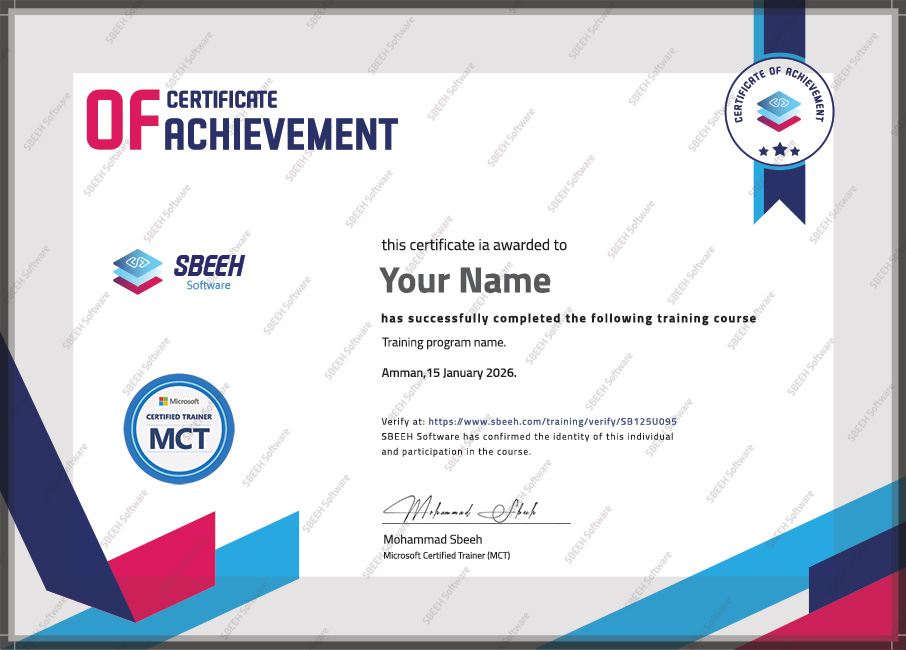

Certificate of Completion
Photo Gallery

Moments From This Training

A look at our training sessions — hands-on training sessions with professionals across Jordan and the GCC.

Interested in this training?

Reach out and we'll help you plan the right training for your team.

Back to all courses