
HomeAboutTraining CoursesFAQ
العربيةmohd@sbeeh.com+962 77 984 65 64
SBEEH Software Academy

Instructor-led IT training delivered by Microsoft Certified Trainers (MCT) — in Amman, Jordan, and across the GCC.

Explore

  • About Us
  • IT Training Courses
  • Verify a Certificate
  • FAQ

Get in Touch

  • +962-779846564
  • mohd@sbeeh.com
  • Amman, Jordan

SBEEH Software delivers software development services, advanced technologies implementation, business process automation, IT consulting, and professional IT training led by Microsoft Certified Trainers (MCT) for organizations across Jordan, Saudi Arabia, UAE, Qatar, Kuwait, Bahrain & Oman.

© SBEEH Software. All rights reserved. 2026.

Back to Training Courses
Claude for Business Users: AI Productivity, Automation & Collaboration
AIBeginnerFace to Face / Online

Claude for Business Users: AI Productivity, Automation & CollaborationTraining in Amman, Jordan & the GCC

Claude for Business Users: AI Productivity, Automation & Collaboration is a beginner AI course delivered in person and online by SBEEH Software Academy in Amman, Jordan.

2 Days (12 Hours)

Last updated September 29, 2026

This 2-day, hands-on course teaches business professionals how to use Claude, Anthropic's AI assistant, to work faster and smarter across everyday business tasks. Participants learn how to write effective business prompts, analyze and summarize documents, draft emails, reports, proposals and presentations, and conduct research and analysis. Day 2 moves beyond chat into advanced workflows: organizing company knowledge with Claude Projects, working with Claude across Microsoft 365 (Word, Excel, PowerPoint and Outlook), delegating multi-step tasks with Claude Cowork, and packaging procedures into reusable Skills. The course closes with responsible and secure AI use and a capstone workshop where participants build practical Claude workflows for their own roles. No programming experience is required.

Module 1: Introduction to Claude

  • What is Claude?

  • Claude vs. traditional search and productivity tools

  • Claude models and choosing the appropriate model

  • Claude Chat and business use cases

  • Understanding AI limitations and verification

Module 2: Effective Prompting for Business

  • Anatomy of an effective business prompt

  • Giving Claude context, role, objectives and constraints

  • Step-by-step prompting

  • Few-shot examples

  • Asking Claude to critique and improve its own work

  • Reusable prompt templates

Module 3: Working with Business Documents

  • Uploading and analyzing documents

  • Summarizing long reports

  • Extracting information from PDFs

  • Comparing documents

  • Finding risks, inconsistencies and missing information

  • Creating executive summaries

  • Turning documents into action plans

Module 4: Claude for Everyday Business Work

  • Writing and improving emails

  • Meeting agendas and minutes

  • Reports and proposals

  • Business presentations

  • Research and analysis

  • Brainstorming

  • Creating SOPs and procedures

  • Translating and adapting business content

Module 5: Claude Projects & Business Knowledge

  • Creating Claude Projects

  • Project instructions

  • Adding company documents and knowledge

  • Creating role-specific assistants

  • Maintaining consistent outputs

Module 6: Research & Business Analysis

  • Using Claude for business research

  • Researching a market or competitor

  • Analyzing reports and datasets

  • Asking questions across multiple documents

  • Fact-checking and source verification

  • Producing management-ready reports

Module 7: Claude with Microsoft 365 & Business Tools

  • Claude with Word

  • Claude with Excel

  • Claude with PowerPoint

  • Claude with Outlook

  • Working with business files

  • Drafting and editing content directly in productivity workflows

  • Connecting Claude with organizational information

Module 8: From Chatbot to AI Coworker

  • Delegating multi-step tasks

  • Breaking business processes into AI workflows

  • Claude Cowork

  • Working with files and connected tools

  • Claude Skills

  • Reusable business workflows

  • Human approval and review

  • Designing safe AI-assisted processes

Module 9: Responsible & Secure Use of Claude

  • Confidential information

  • Sensitive business data

  • Human review

  • Hallucinations and inaccurate information

  • Data governance

  • Access control

  • Organizational AI policies

  • Safe use of connectors and Skills

  • When not to use AI

Module 10: Business Capstone Workshop

  • Participants build practical Claude workflows

Frequently Asked Questions

Additional Notes


Who Is This For?

This course is for business professionals who want to turn Claude from an occasional chatbot into a reliable daily coworker.

  • Managers and executives who need faster analysis, summaries and decision-ready reports
  • HR, finance, sales, marketing and operations teams handling high volumes of documents and communication
  • Business analysts, consultants and project managers doing research, planning and reporting
  • Administrative staff and knowledge workers looking to automate repetitive writing and document tasks

Prerequisites

No programming experience is required; basic computer skills are enough.

  • Comfort using a web browser and everyday Microsoft 365 applications (Word, Excel, PowerPoint, Outlook)
  • A Claude account (a Pro, Team or Enterprise plan is recommended to access Projects, Research, Cowork and Skills)
  • Microsoft 365 access for Module 7 labs, where Claude integrations are enabled by the organization
  • A laptop for hands-on exercises; bring a real (non-confidential) work task to use in the capstone workshop

Important Information

  • Claude features and plan availability change frequently; the course content is updated to reflect the latest capabilities at the time of delivery
  • Availability of Research, connectors, Cowork and Microsoft 365 integrations depends on each organization's plan and admin settings
  • The course can be customized for a single department (e.g. HR, finance or sales) with role-specific examples and capstone scenarios
  • Participants should follow their organization's AI and data policies when using real business content

What certificate do I get after this course?

Upon successful completion of the training, participants will receive an official Certificate of Completion.
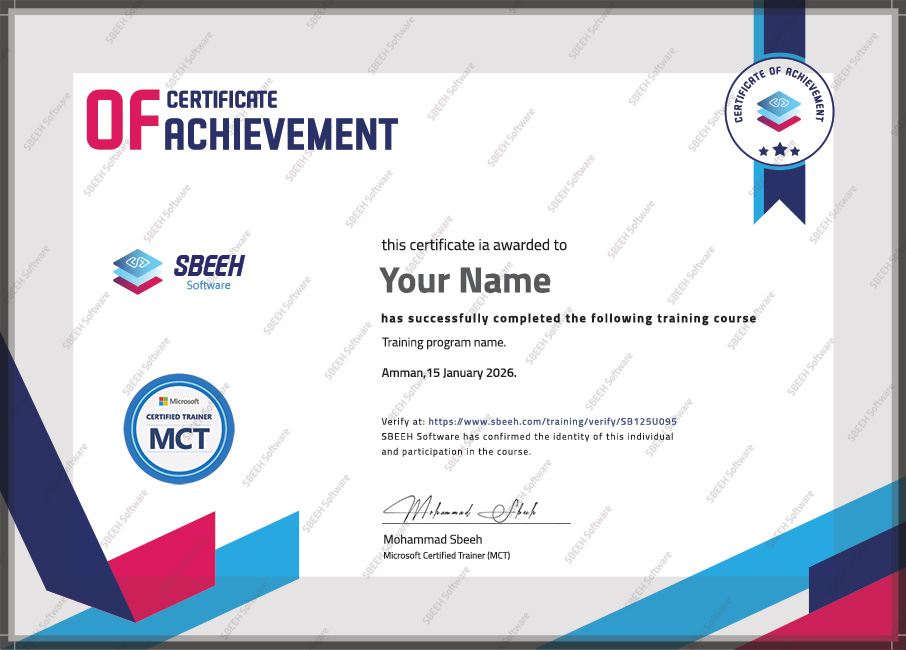

Certificate of Completion
Photo Gallery

Moments From This Training

A look at our training sessions — hands-on training sessions with professionals across Jordan and the GCC.

Interested in this training?

Reach out and we'll help you plan the right training for your team.

Back to all courses